
Wild Game Butcher Board
Deer processing software for processors, staff, and owners
Product Views
See the actual workflow, not mockups
These are real screens from the platform. The goal is simple: customers enter cleaner information, staff move faster, and the butcher floor has what it needs without extra paperwork.
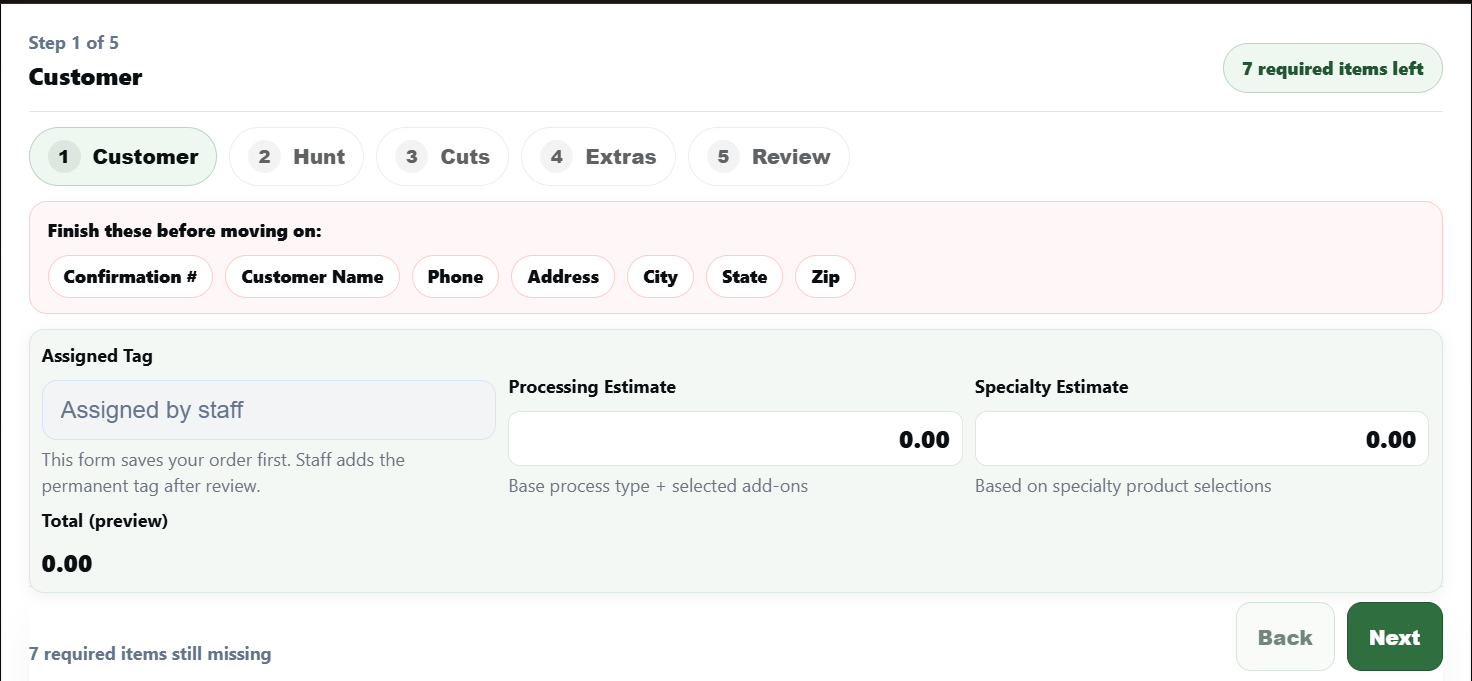
Public intake
Customers submit before drop-off
Mobile-friendly intake captures customer info, cuts, extras, and review steps before the deer reaches the shop.
Mobile-friendlyCutsSpecialtyAdd-ons
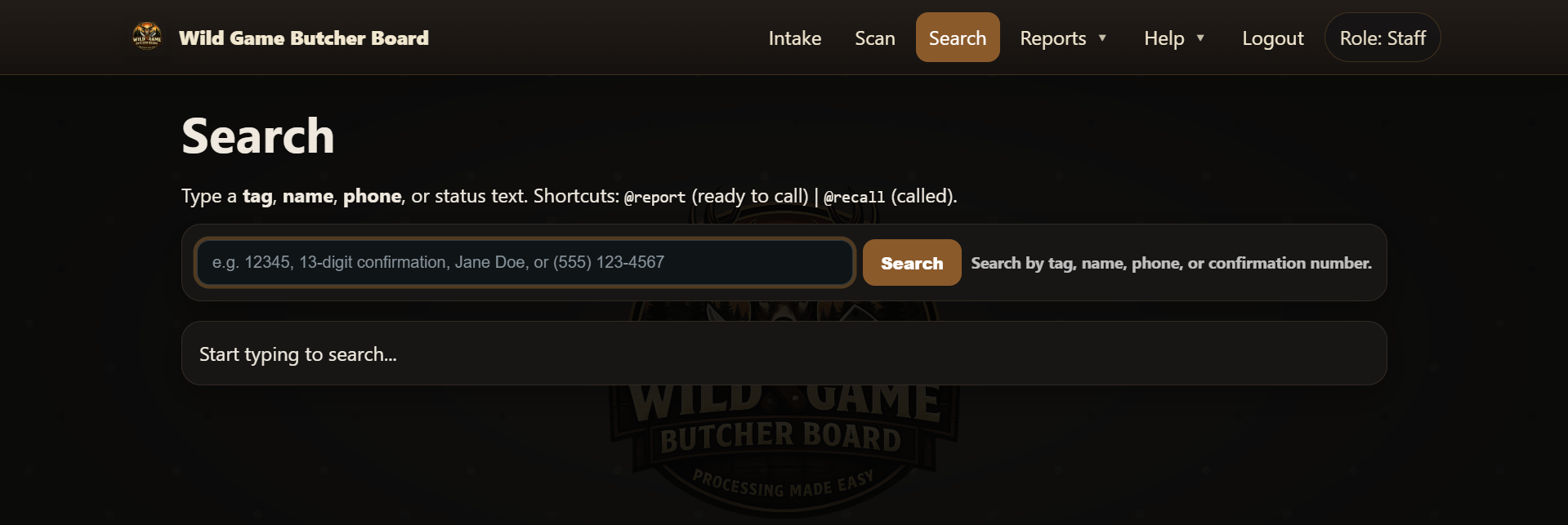
Staff workflow
Search, print, assign tags, and move faster
Staff can search by tag, confirmation, name, or phone to reprint paperwork, check balances, and send updates quickly.
SearchPrintLabelsQueue
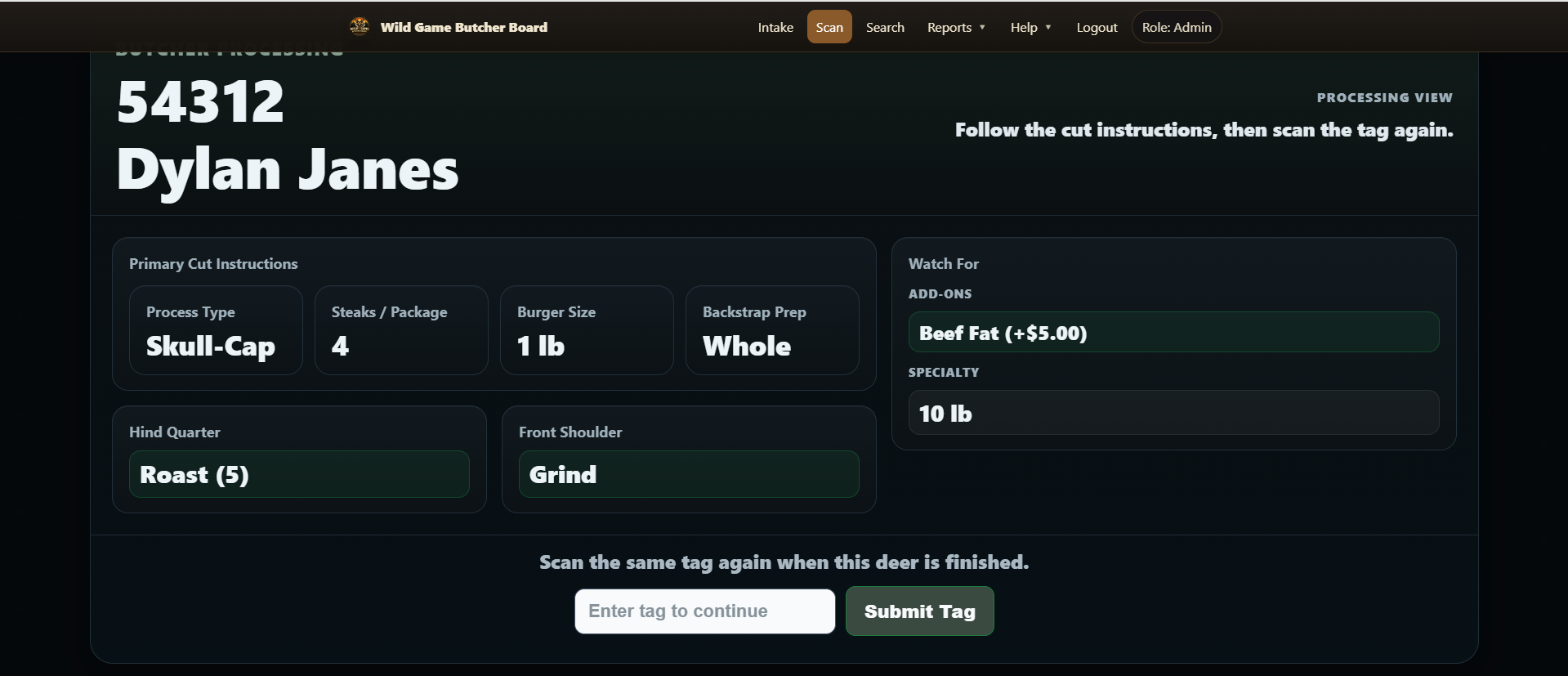
Production floor
Use scans and labels to move deer cleanly through the shop
Thermal labels, scan-driven cape and processing status, and butcher-facing details keep the production floor moving without handwritten chaos.
ScanCapeProcessingFinished
How It Works
A simple flow from drop-off to pickup
Step 1
Public intake before drop-off
Customers submit deer details, cuts, specialty products, and add-ons from their phone before they ever walk in.
Step 2
Staff review and tag assignment
Staff review public intake, assign the permanent tag, and print one-page intake sheets or thermal labels right away.
Step 3
Scan-driven production
Cape, processing, and finished status can move with simple barcode scans instead of sticky notes and memory.
Step 4
Pickup, balances, and owner reports
Owners can see who is ready, who still owes, how long deer sit before pickup, and how long processing is taking.
Feature Areas
The main parts of the platform
Customer Experience
After-hours public intake
Status lookup by confirmation
Text and email updates
Clear hours, contact, and pickup expectations
Staff Workflow
Fast intake and search
Thermal labels and intake printing
Scan-based production workflow
Separate staff roles and logins
Owner Control
Balances and ready-but-unpaid tracking
Processing-time and holding-time insights
Pickup and communication reports
Activity history for accountability
Processor Customization
Custom process types
Custom add-ons and specialty catalog
Branding, pricing, and public copy
Cut-option visibility by processor
Request A Demo
Tell us about your processor and we can prepare a demo or onboarding conversation around your workflow.
Use this form if you want to see the system, ask questions, or share what makes your shop different before getting set up.
Share your annual deer volume and current workflow
Tell us whether you use public intake, labels, texting, scanning, or specialty products
We can use that to shape a demo and onboarding plan
FAQ
Questions processors usually ask first
Can each processor customize offerings and pricing?
Yes. Process types, add-ons, specialty products, cut-option visibility, pricing, branding, and public-facing copy can all be managed per processor.
Does it support public intake and shop-specific workflows?
Yes. Processors can use public intake in the way that fits their shop, and staff can review entries, assign the permanent tag, and print paperwork whenever that workflow makes sense.
Can staff have different access levels?
Yes. Processors can use admin, staff, and read-only access so the right people can view, edit, print, scan, or manage settings.
Can this work with labels and scanners?
Yes. The workflow supports thermal labels, barcode-based tag handling, scan-driven progression, and quick reprint paths from staff tools.
Wild Game Butcher Board